Today
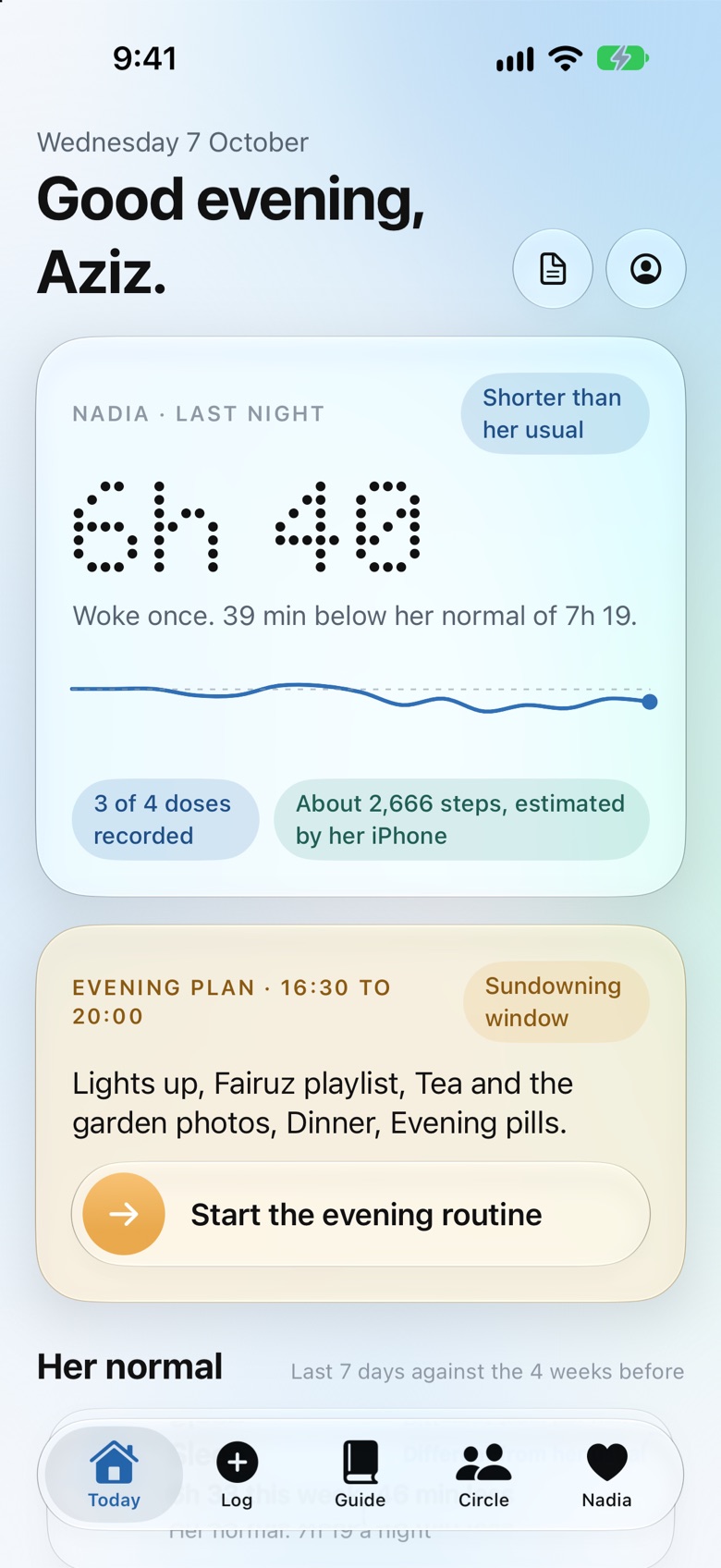
How she slept against her usual, the doses recorded, and tonight’s evening plan.
Today is the screen you open in the morning with your coffee. It shows last night against her usual, from Apple Health on her iPhone or from whoever logged it, with the doses recorded so far and her steps. Then the evening plan, with its sundowning window and a routine you start in one tap.
No dashboards to interpret. A few cards, in plain words.
Log
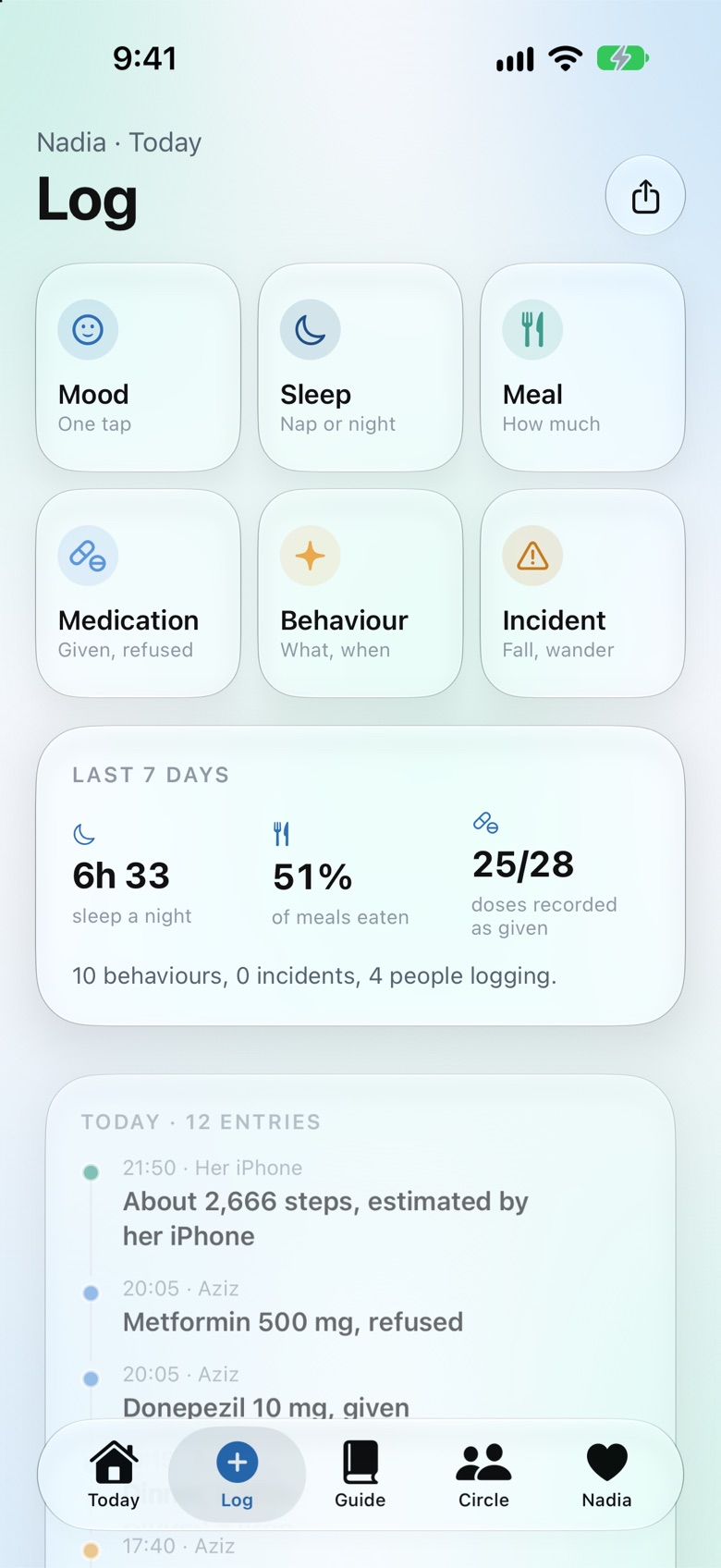
One tap for a mood, a meal, a medication, a behaviour or an incident. The record every sibling and doctor can read.
The log replaces the notebook on the kitchen counter and the group chat nobody can search. A meal, a mood, a medication, a fall, a refusal, a good afternoon. One tap, by whoever was there, with the time and the name attached.
At the end of the month it becomes the summary your doctor has been asking for, exported in one tap. What she ate, how she slept, what happened and when.
Guide
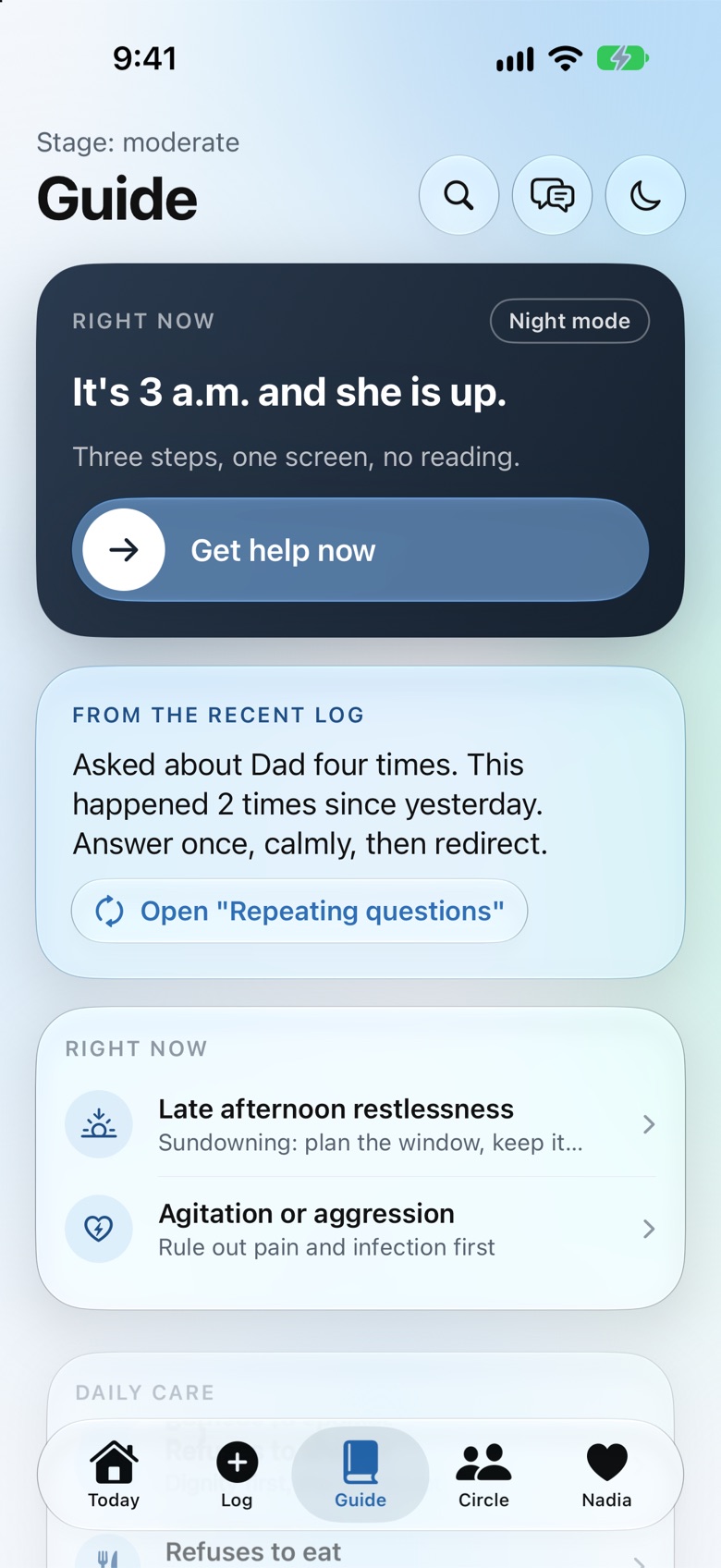
Help in the moment, at 3 a.m., written for the situation you are actually in.
The guide is not a library. It is a short list of the situations caregivers actually face: she is up at night, she refuses the shower, she does not recognise you, she will not eat, she wants to go home when she is home. For each one, three steps, on one screen, with her stage on screen and a note from what the recent log shows.
It always starts with the same question: is she in pain, is she unwell, does she need the toilet. Only then does it talk about behaviour.
Circle
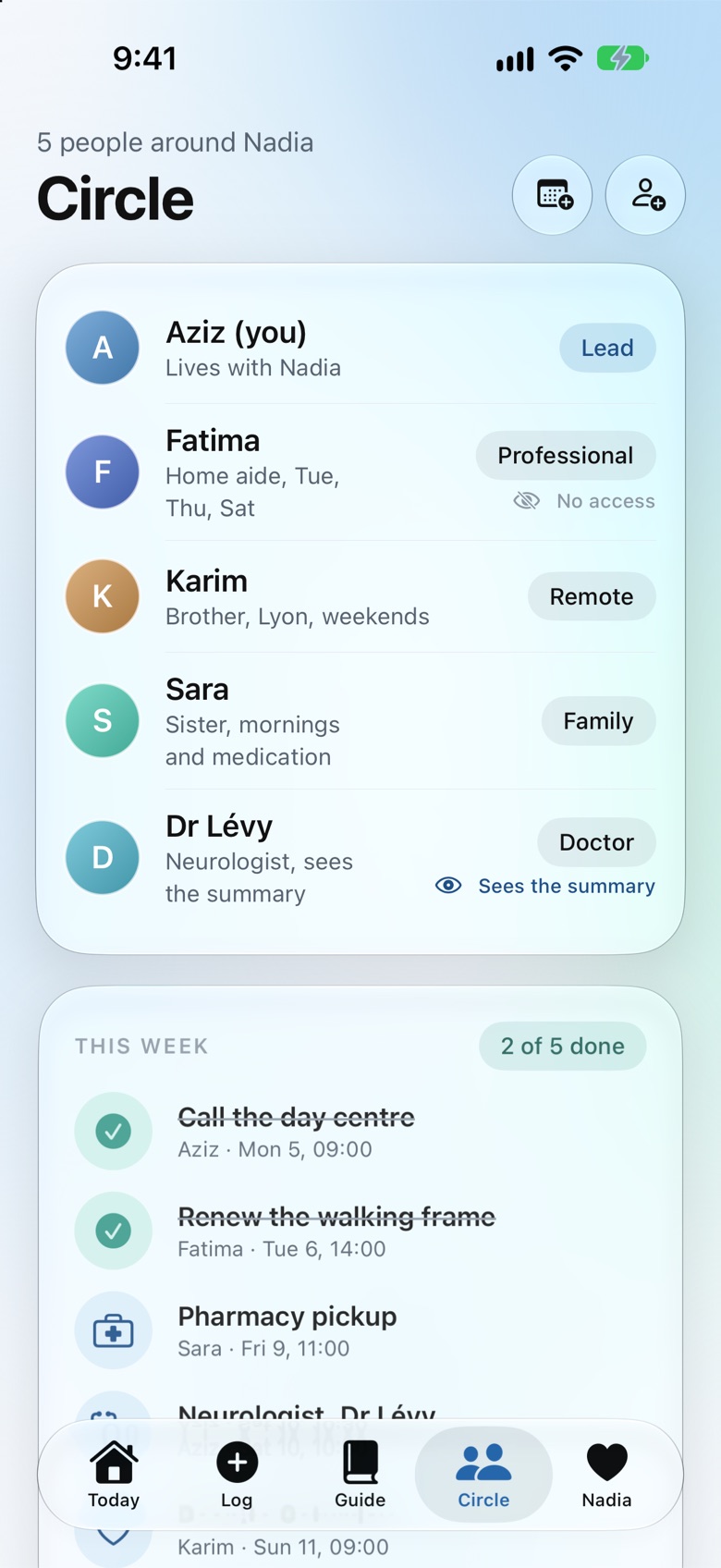
Everyone who helps, with a role and this week’s tasks.
The circle is everyone around her: you, your siblings, a professional carer, a neighbour, whoever helps. Each person has a role and a few tasks, so the one who lives closest is not carrying everything, and the one who lives far away has something real to do.
And it asks how you are too. A ten second check in, once a week, on your energy and your own sleep. When your weeks look heavy, it suggests asking someone in the Circle for one specific thing.
Her space
Who she is, in her own words. And a simple screen on her own phone.
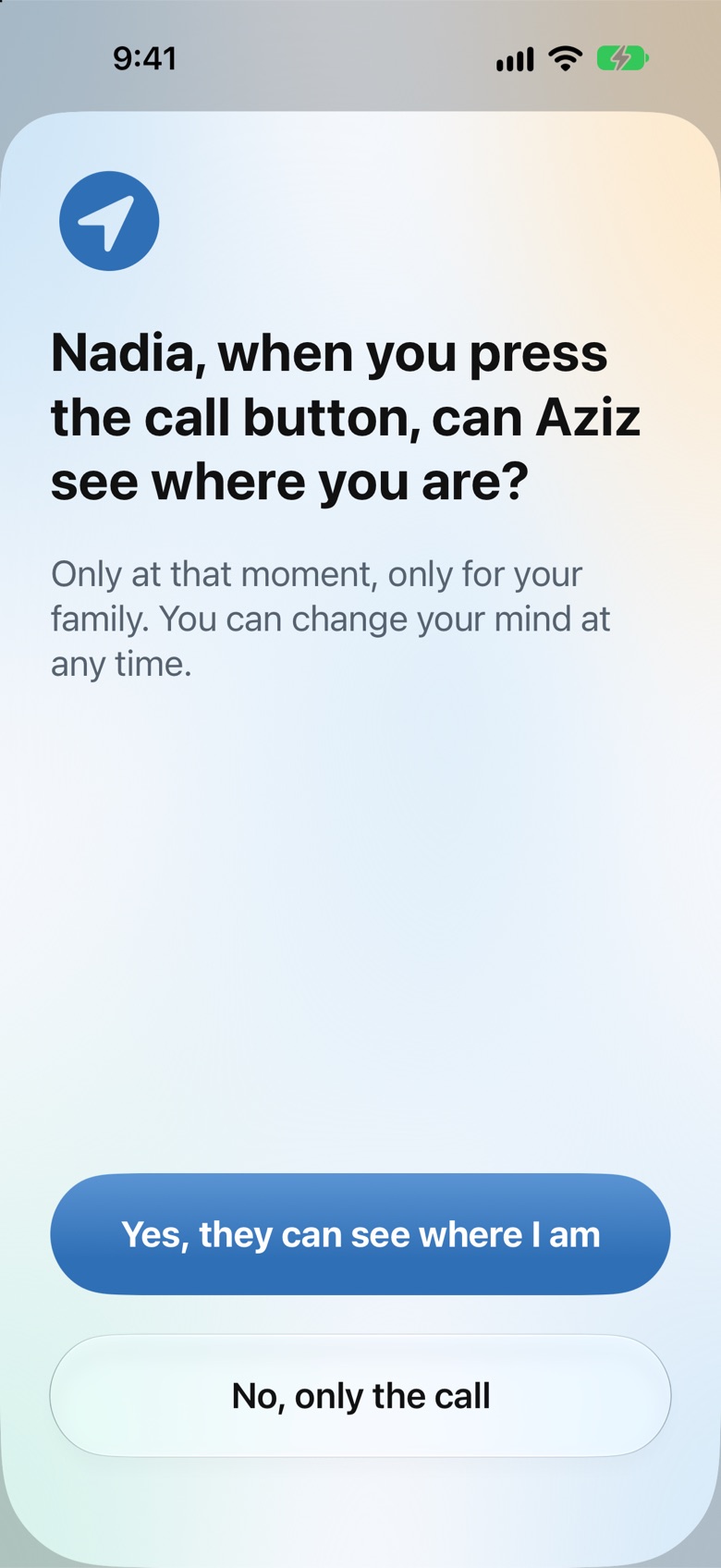
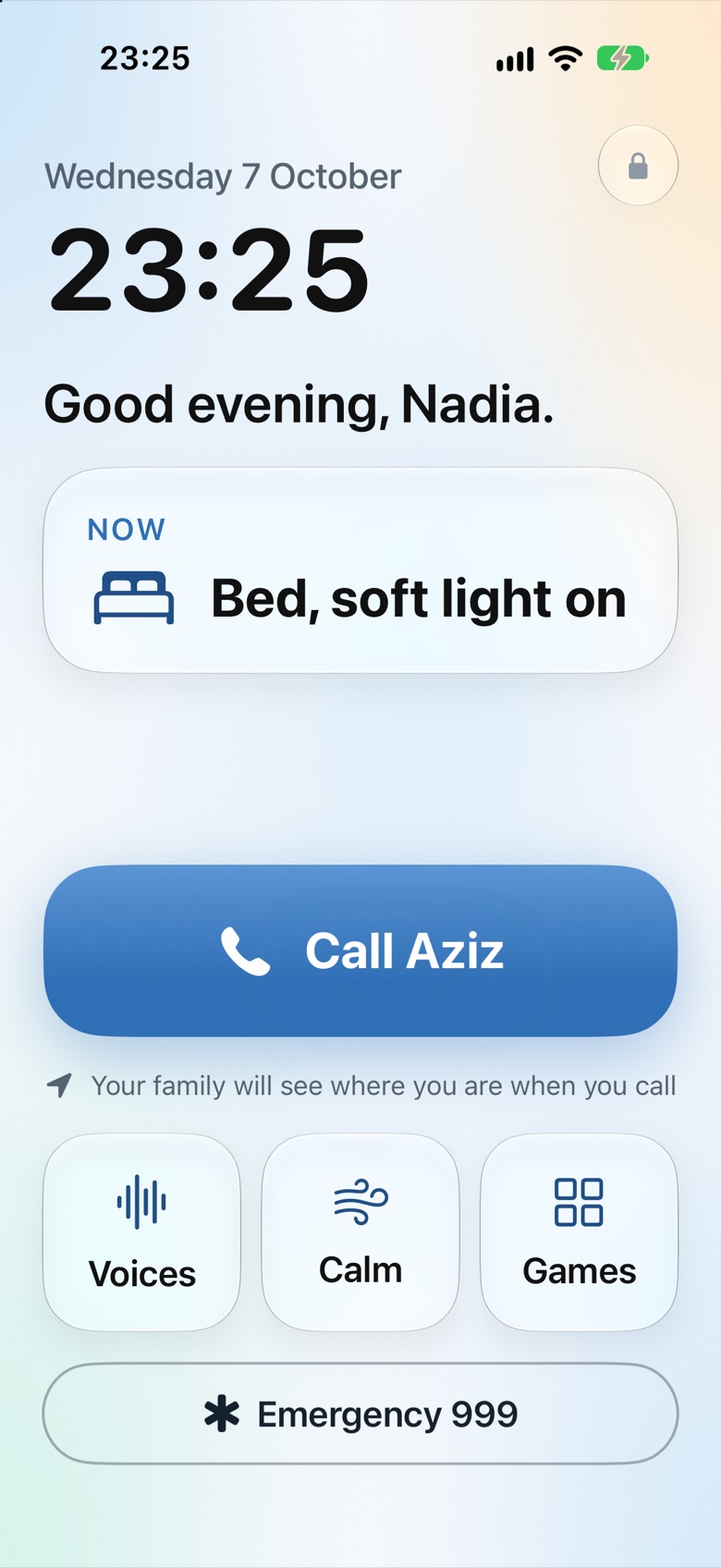
Her space holds who she is: her words, the things she loves, her playlist, her photos and the voices she knows, so everyone who helps her knows her too. On her own iPhone, a simple mode shows almost nothing: what is happening now, what comes next, one large button to call you, voices, calm and a few gentle games. No monitoring language, nothing that says patient, no test of her memory.
She keeps her dignity and her autonomy for as long as possible, and you keep the record. Both are true at the same time.
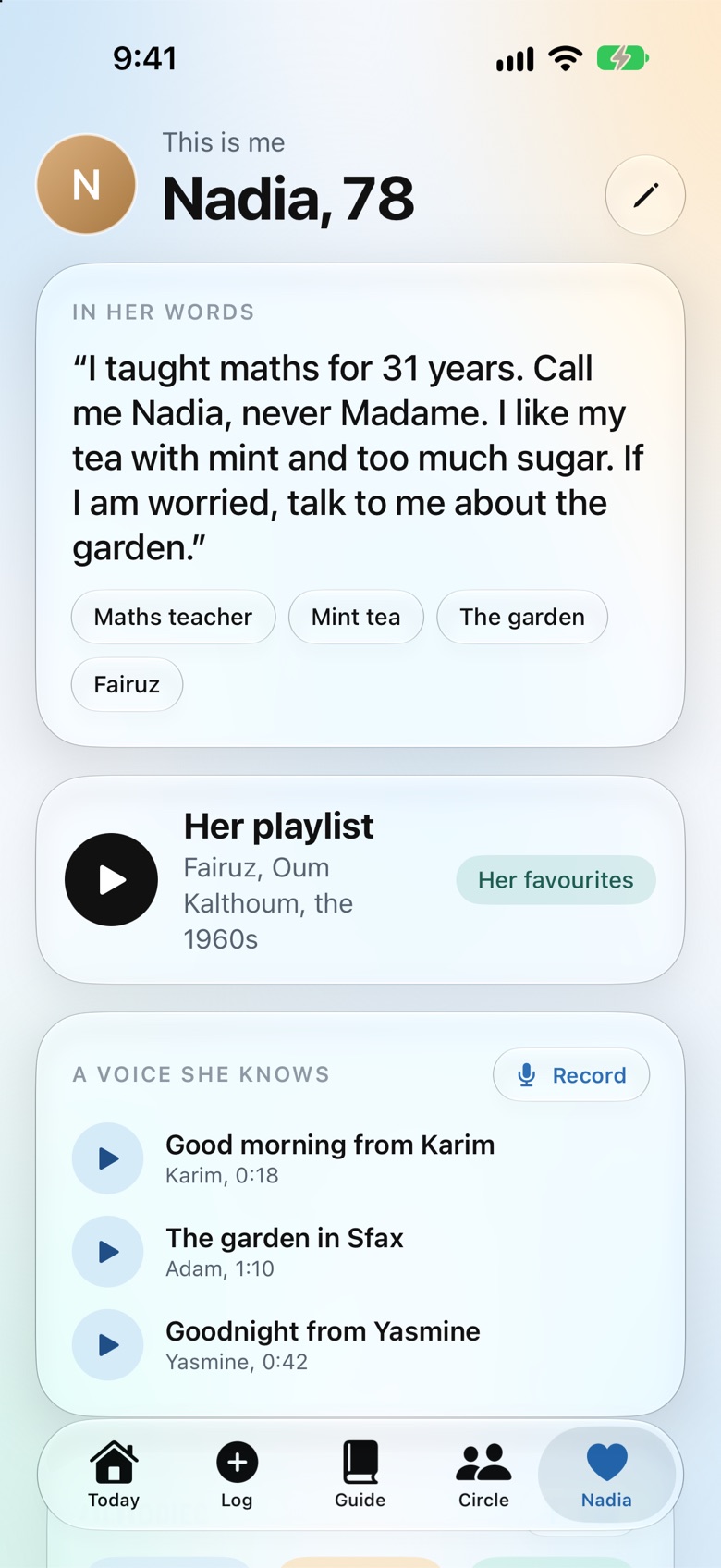
The screens you will actually use.
Real screens from the app, with the example family we test with: Nadia, 78, and Aziz, who lives with her.
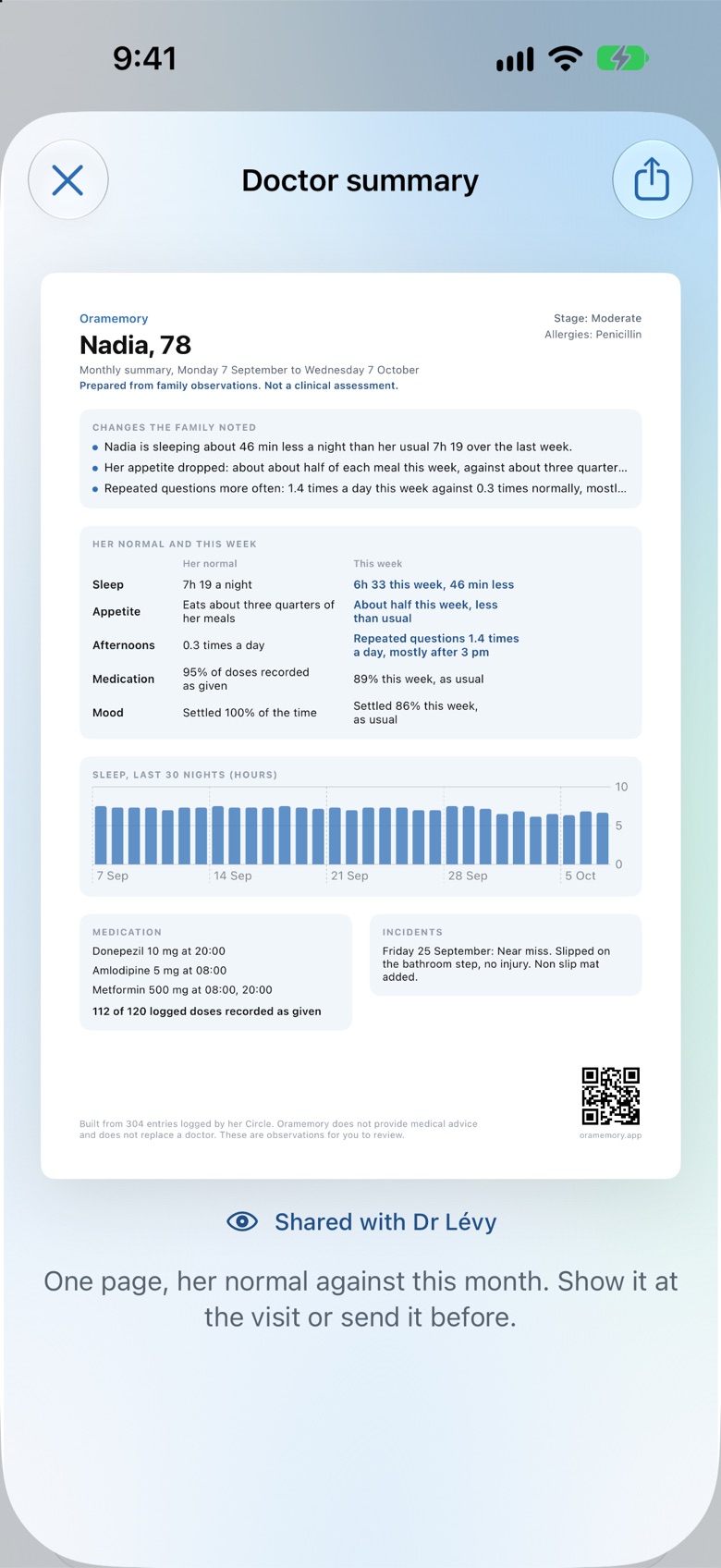
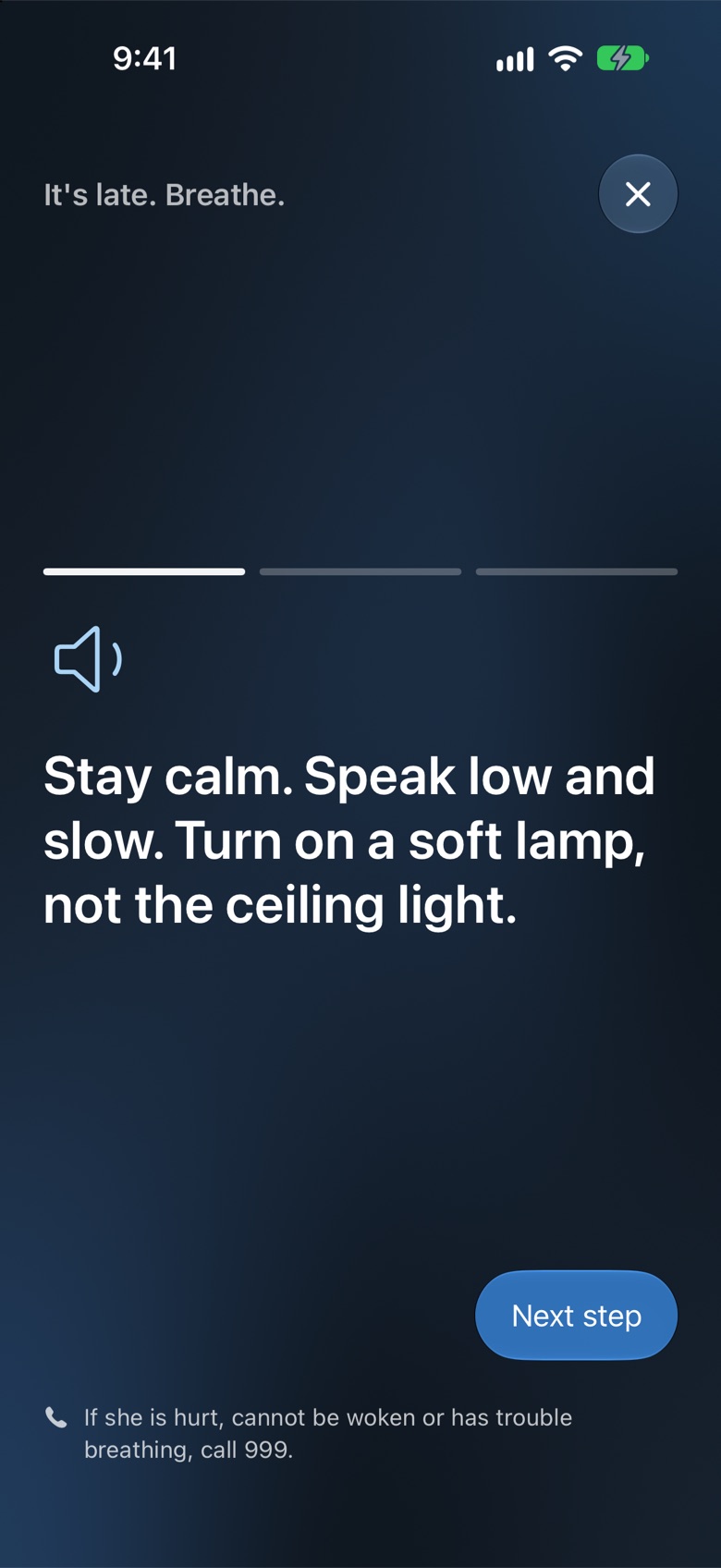
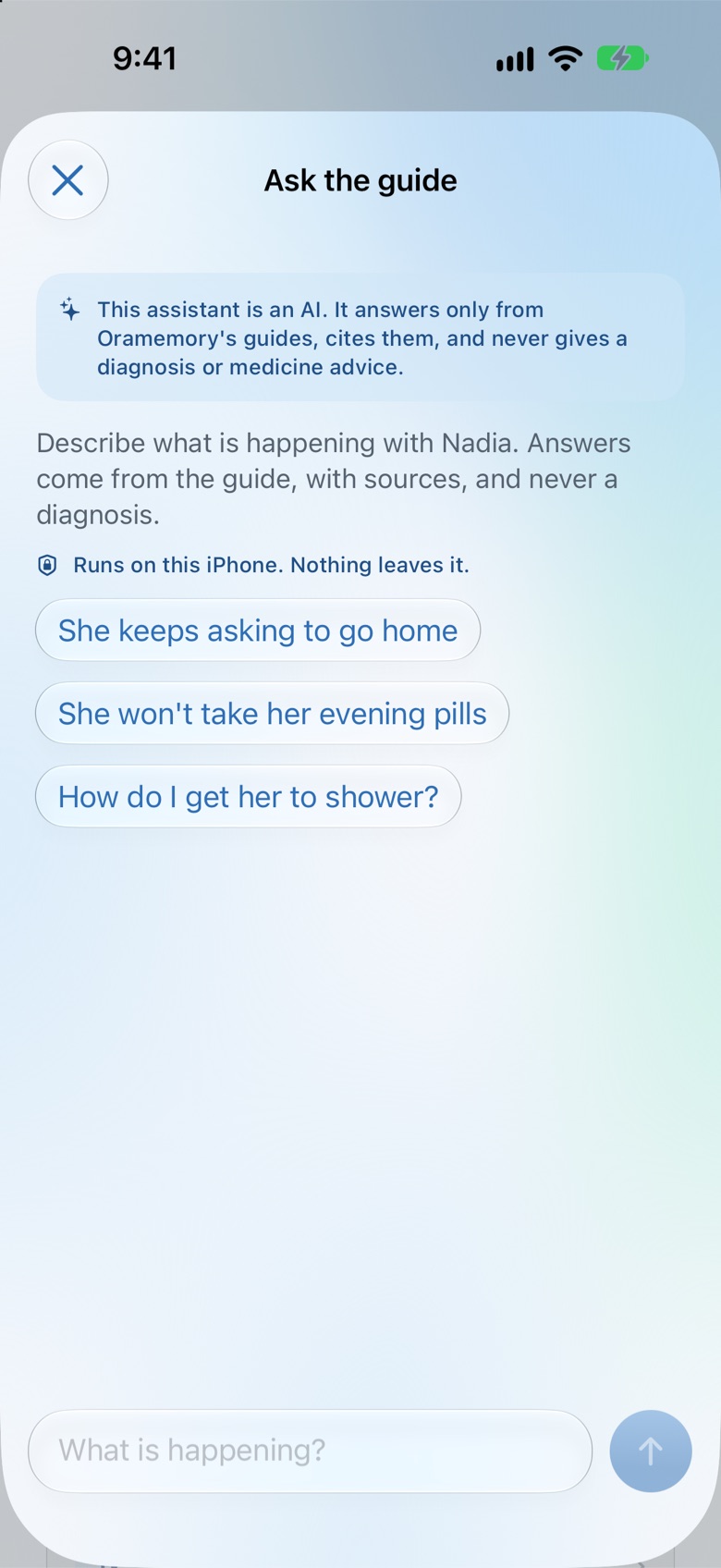
It fills itself in.
On her iPhone, with her permission, Apple Health fills in last night’s sleep and today’s steps, shown as estimates. If she wears an Apple Watch, its data arrives the same way. And the app meets you where you already look: widgets on your Home Screen, Siri, the evening routine on your Lock Screen, and a Control Center button to log a dose.
Apple Health shares only what she allows, and she can change it at any time in her iPhone’s settings.
What we hold, and what we never do →Know your way around before it arrives.
Being tested now with the first families, on the App Store soon. The first fifty families keep it free for life.
Check your inbox to confirm. We will write once, when it arrives on the App Store, and not before, unless it is to tell you that you are one of the first fifty.